Black Friday is closer than it feels. Every year, the stores that have a smooth, record-breaking weekend are the ones that prepared weeks ahead, not the ones scrambling the night before. By the time traffic spikes, it’s too late to fix the things that quietly cost you sales.
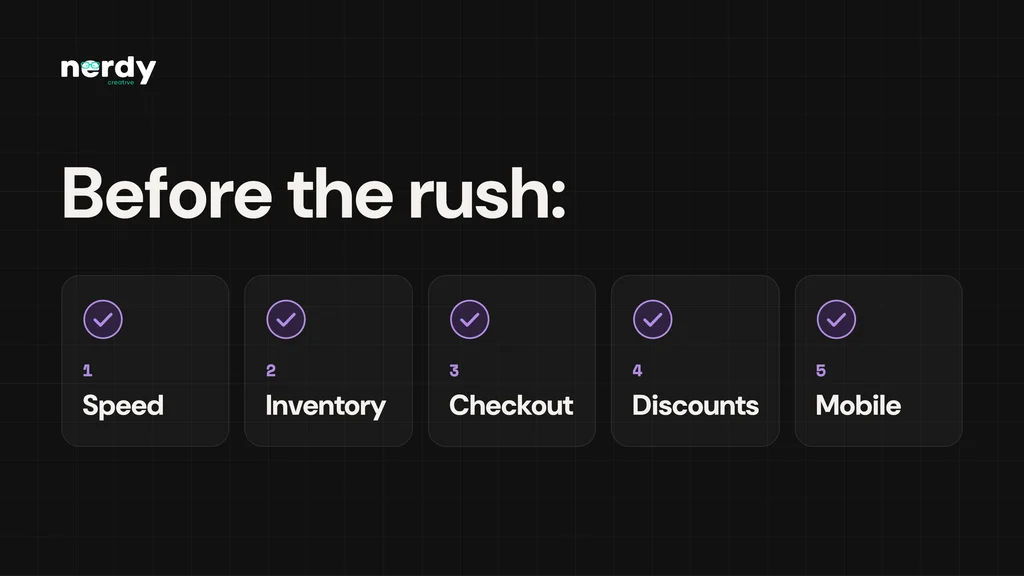
If you sell on Shopify, here are the five things worth checking now, while you still have time to do them calmly. None of them are glamorous. All of them are the difference between a record day and a stressful one.
1. Speed, because more traffic means more load
A store that feels fine on a normal Tuesday can struggle under Black Friday traffic. More visitors, more concurrent sessions, and more strain on every page. And speed matters more on your busiest day than any other, because every second of delay is a shopper who might leave before they buy.
The practical checks:
- Run your store through Google’s PageSpeed Insights and look at your Core Web Vitals. If they’re in the red, that’s both lost conversions and weaker search rankings.
- Check your images. Oversized images, full desktop resolution loading on phones, are one of the most common and most fixable slowdowns.
- Review your installed apps. Every app can add scripts that run on every page, including ones you no longer use. Removing dead weight is free speed.
Fix speed now, in a calm week, not under pressure when the traffic is already arriving.
2. Inventory, so you don’t oversell your biggest week
Running out of stock is one problem. Selling stock you don’t have is a worse one. If you sell across more than one channel, your Shopify store and a marketplace like Amazon, for example, your inventory needs to stay in sync, or you risk selling the same unit twice and disappointing customers at the worst possible moment.
Before the rush: confirm your stock levels are accurate, and if you sell on multiple channels, make sure they genuinely stay in sync in real time, not on a delay. Overselling during your highest-volume week is a painful and avoidable way to learn this lesson.
3. Checkout, tested for real
Checkout is the most important page on your store, and the one most likely to cost you money if something breaks. A bug here on Black Friday is the most expensive bug you can have, because it fails at the exact moment customers are ready to pay.
Don’t assume it works. Test it:
- Place real test orders, start to finish.
- Do it on mobile, not just desktop.
- Apply a discount code during the test, since that’s exactly what shoppers will do.
A checkout that works perfectly in theory but breaks with a discount applied is a classic, avoidable Black Friday disaster.
4. Discounts, set up and confirmed
Your Black Friday offer only works if the discounts actually apply the way you intend. A code that doesn’t trigger, an automatic discount that stacks incorrectly, or a sale price that doesn’t show, each one costs sales or creates confusion right when attention is highest.
Set your discounts up in advance, then test them. Confirm the codes apply, the automatic discounts behave as expected, and the pricing displays correctly on product pages and in the cart. Do this days before launch, not in the final hour.
5. Mobile, where most of your sale will happen
Most of your Black Friday traffic will come from phones. If your mobile experience is clunky, slow buttons, awkward scrolling, a checkout that’s hard to complete with a thumb, that’s where your sales quietly leak away, no matter how good the desktop version looks.
Go through your whole store on an actual phone: browse, add to cart, apply a discount, reach checkout. The experience that matters most is the one most of your customers will actually have.
The takeaway
None of this is complicated. But together, these five checks are what separate a smooth, profitable Black Friday from a stressful one full of avoidable problems. The common thread is timing: all of this is easy to fix now, in a calm week, and hard to fix later under live traffic.
If you’d rather have an experienced Shopify team handle the prep, or you want a second set of eyes on your store before the rush, that’s exactly the kind of work we do. Get in touch, and we’ll help you go into your biggest weekend ready.